Step 1. Connect Shopify
Steps
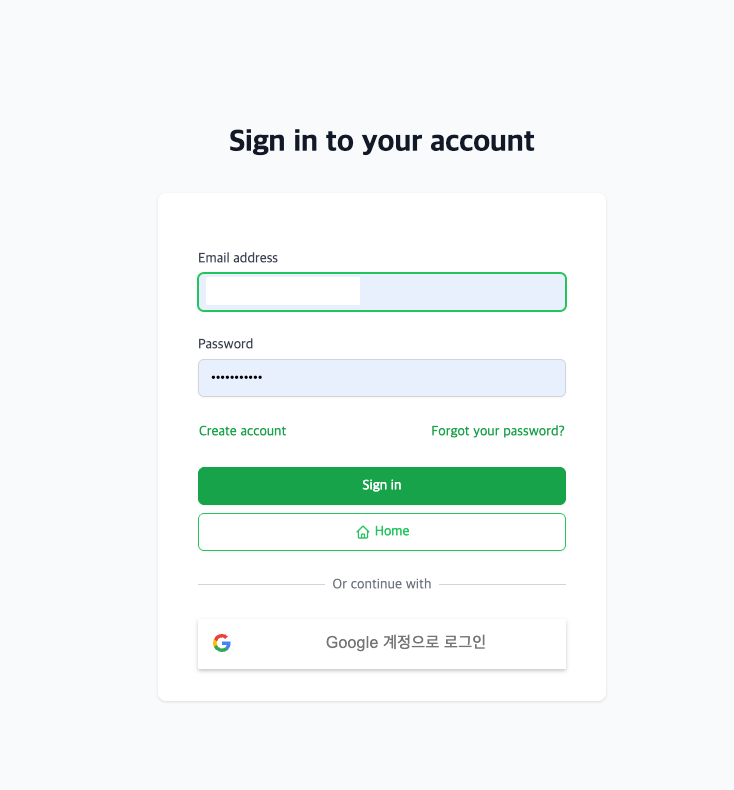
1. Log in to Hypercape BIZ
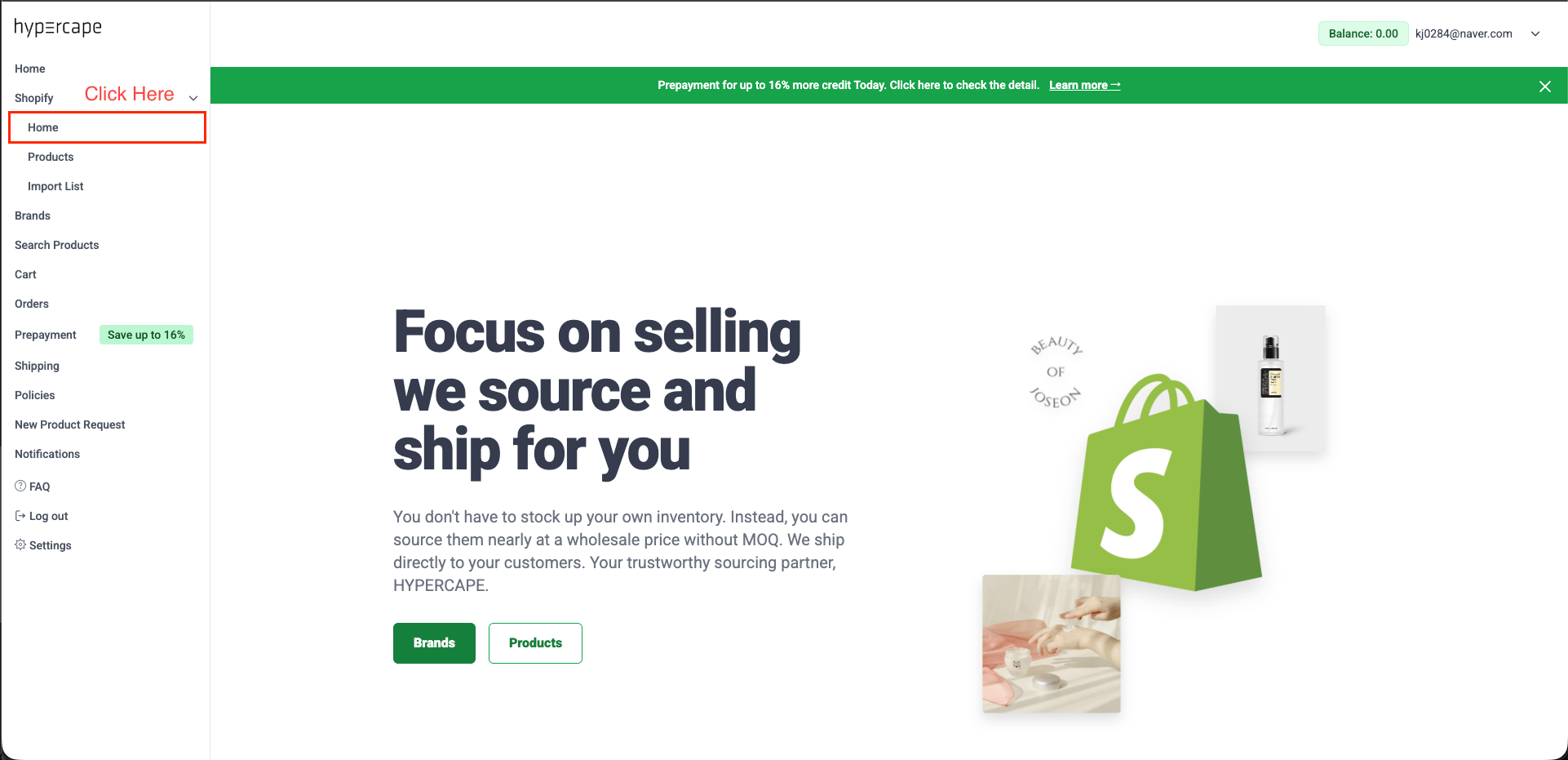
2. Navigate to Shopify Home
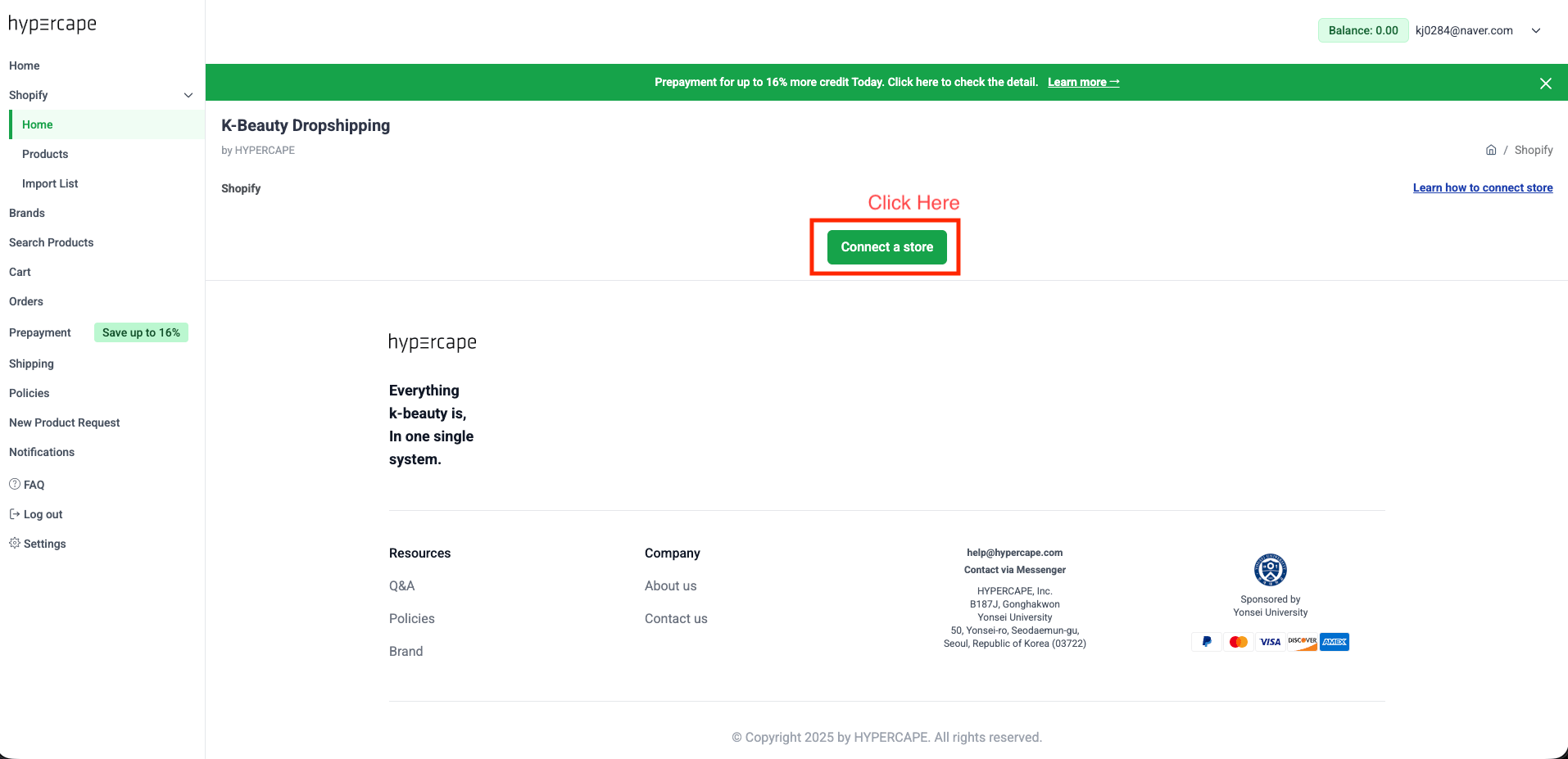
3. Click Connect a Store
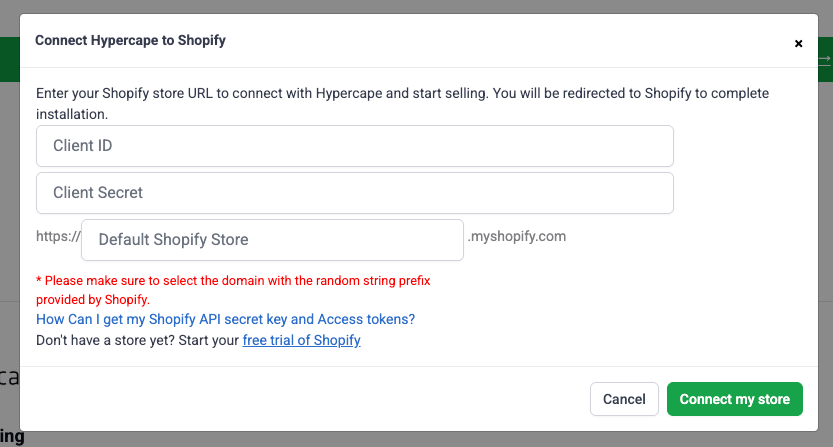
4. Go to Shopify Admin
5. Open Account Menu
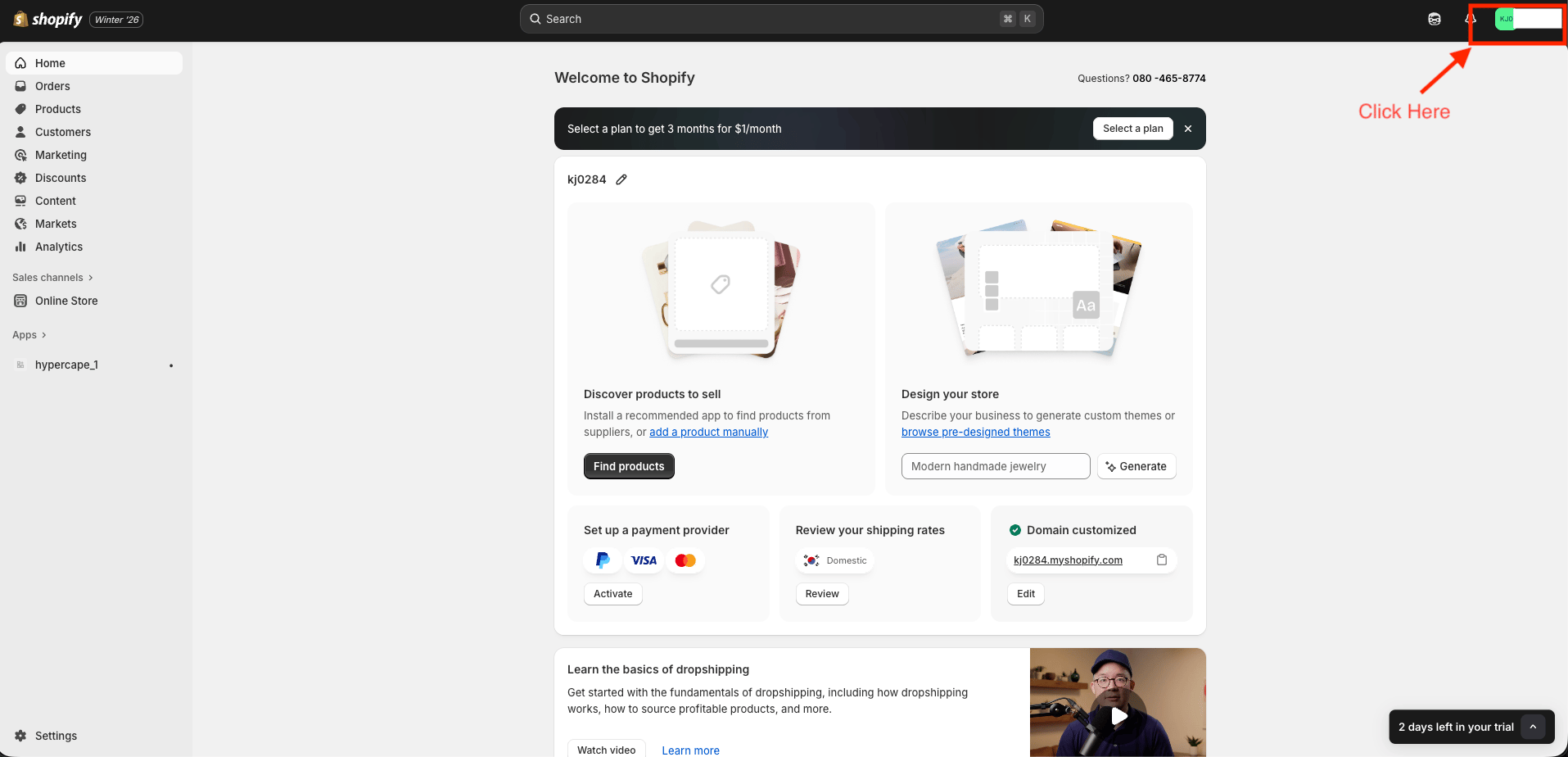
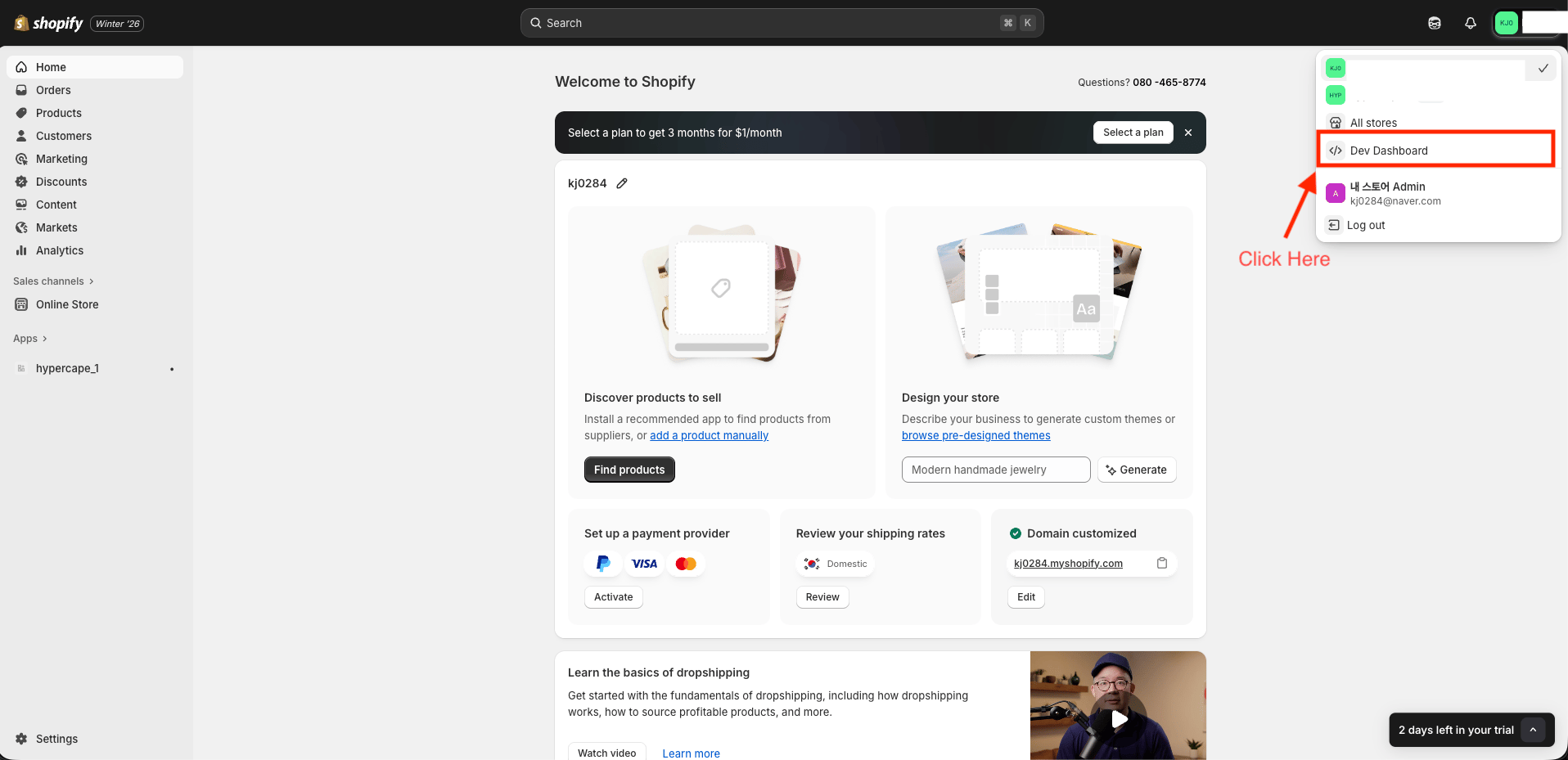
6. Access Dev Dashboard
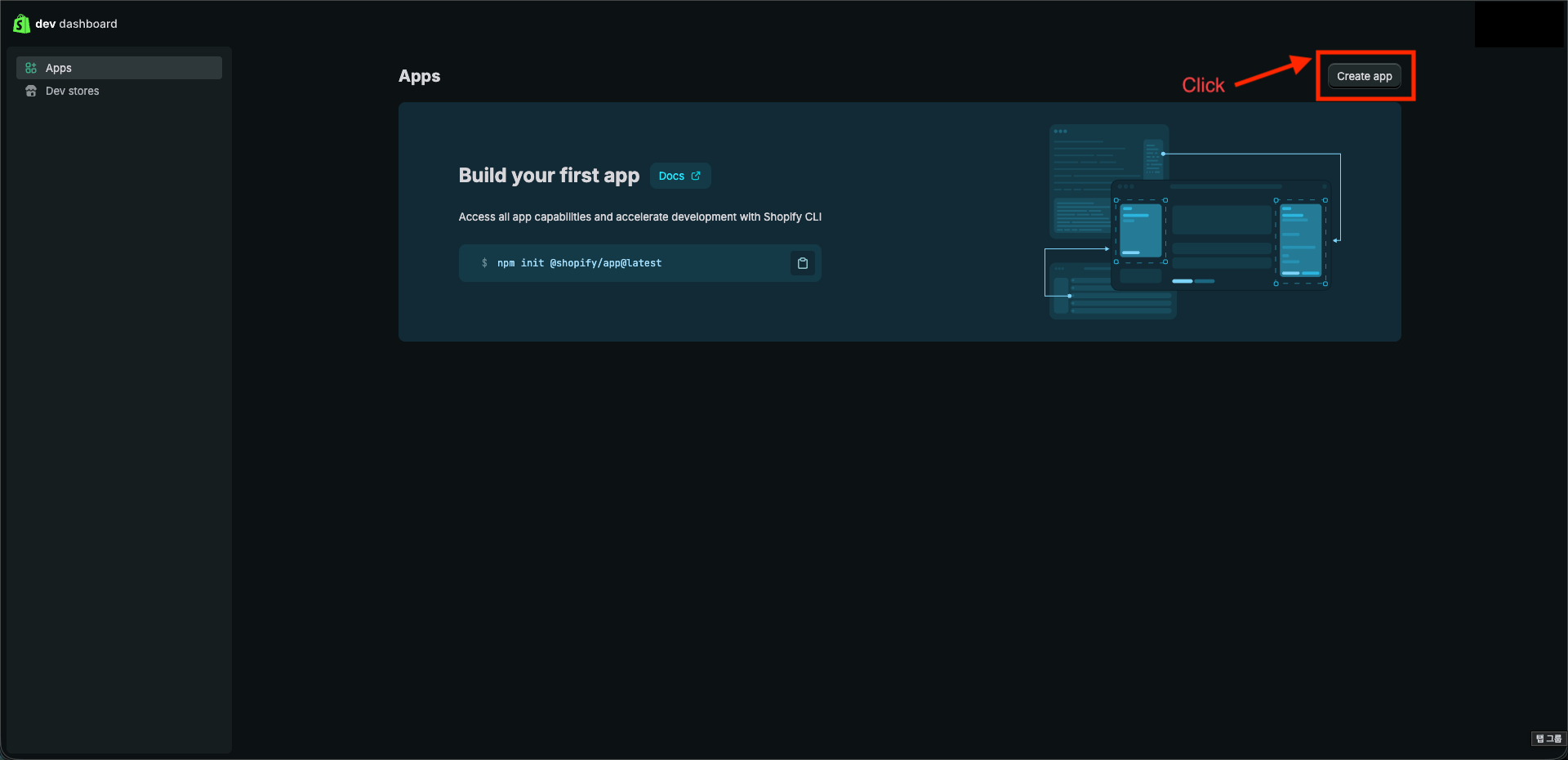
7. Click Create App
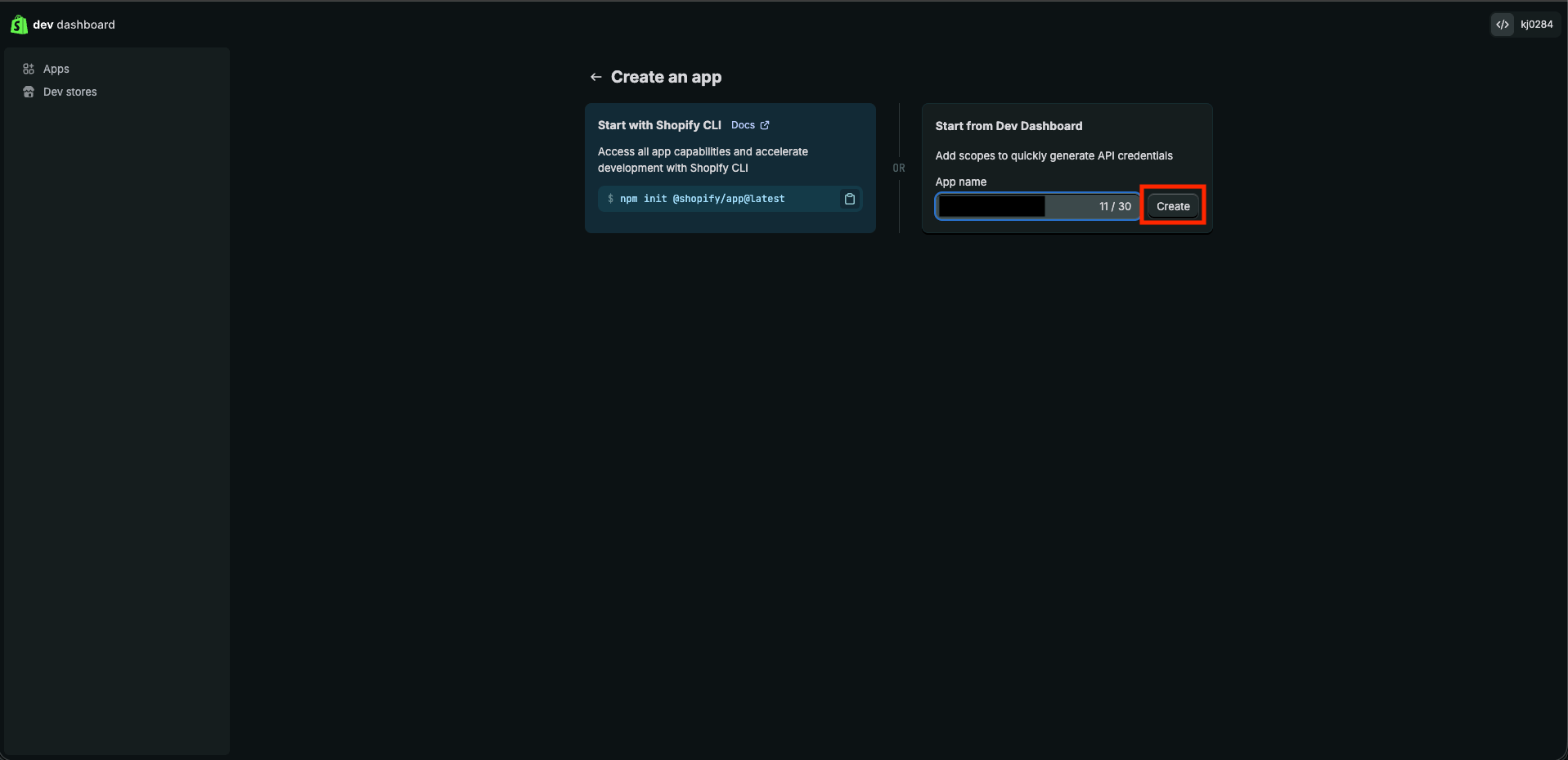
8. Enter App Name
9. Configure API Scopes
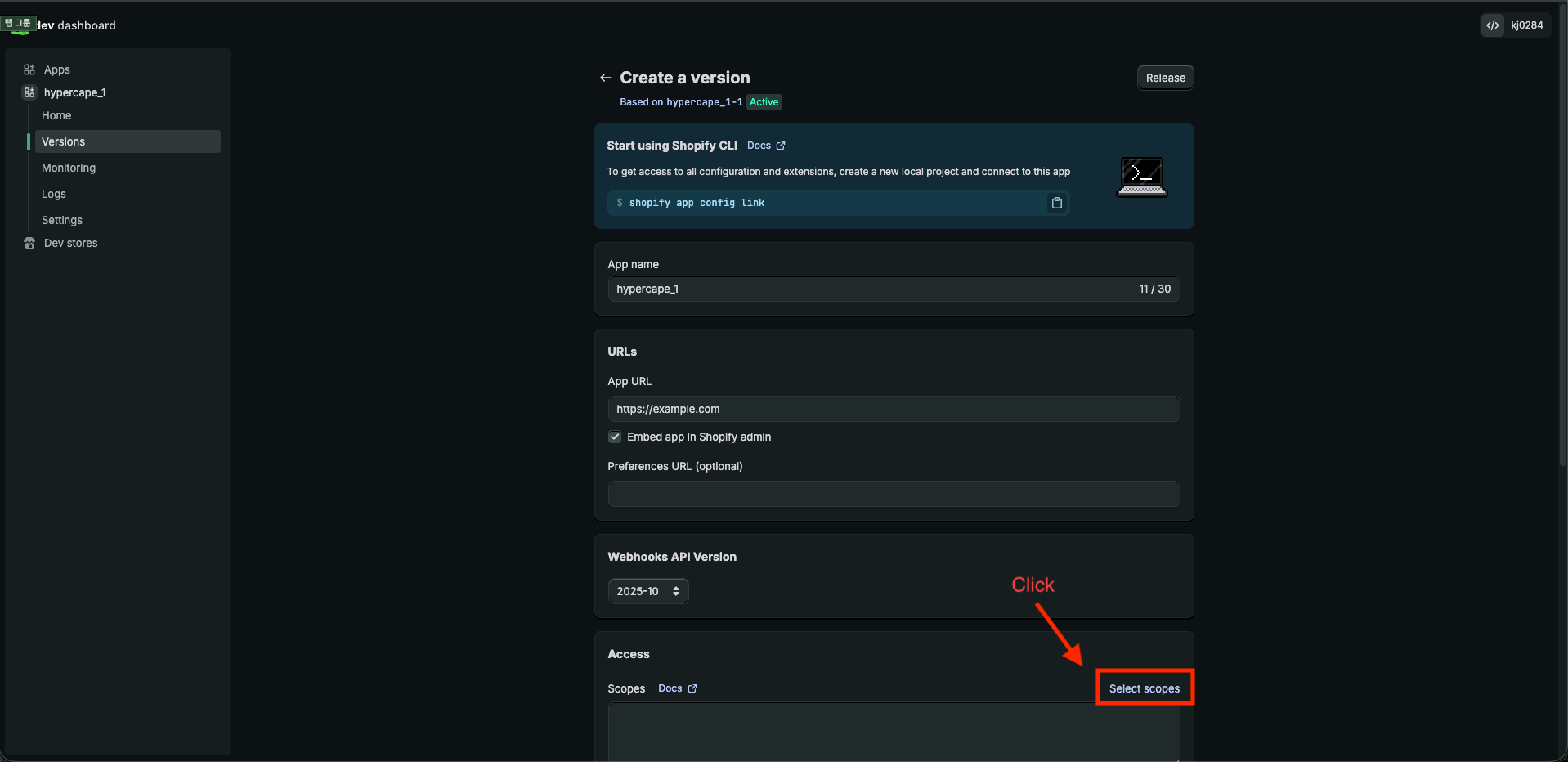
10. Select Required Scopes
In the "Select scopes" modal, search and enable the following Admin API scopes:
Products:
read_products,write_productsOrder editing:
read_order_edits,write_order_editsOrders:
read_orders,write_ordersFulfillment services:
read_fulfillments,write_fulfillmentsMerchant managed fulfillment:
read_merchant_managed_fulfillment_orders,write_merchant_managed_fulfillment_ordersThird party fulfillment:
read_third_party_fulfillment_orders,write_third_party_fulfillment_ordersCustom fulfillment services:
read_custom_fulfillment_services,write_custom_fulfillment_servicesAssigned fulfillment:
read_assigned_fulfillment_orders,write_assigned_fulfillment_orders
Click "Done" after selecting all scopes.
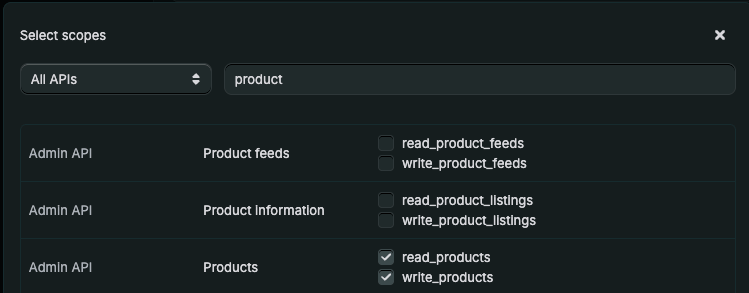
read_products, write_products.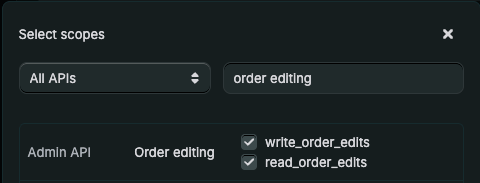
read_order_edits, write_order_edits.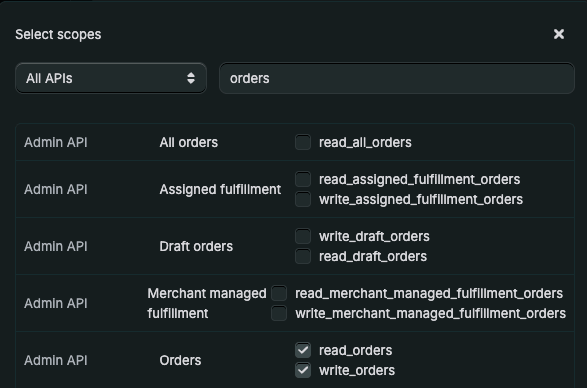
read_orders, write_orders.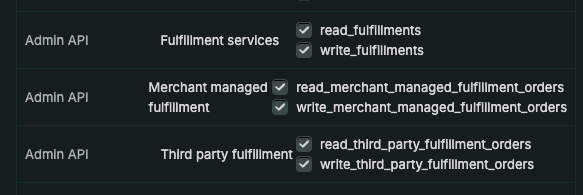
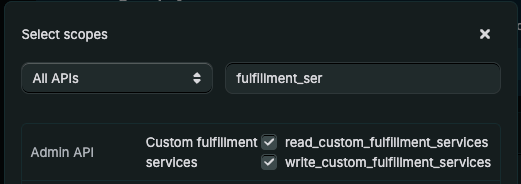
read_custom_fulfillment_services, write_custom_fulfillment_services.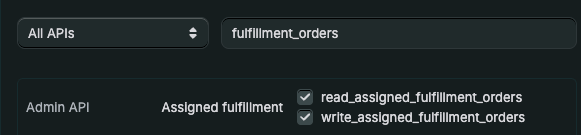
read_assigned_fulfillment_orders, write_assigned_fulfillment_orders.11. Release Your App
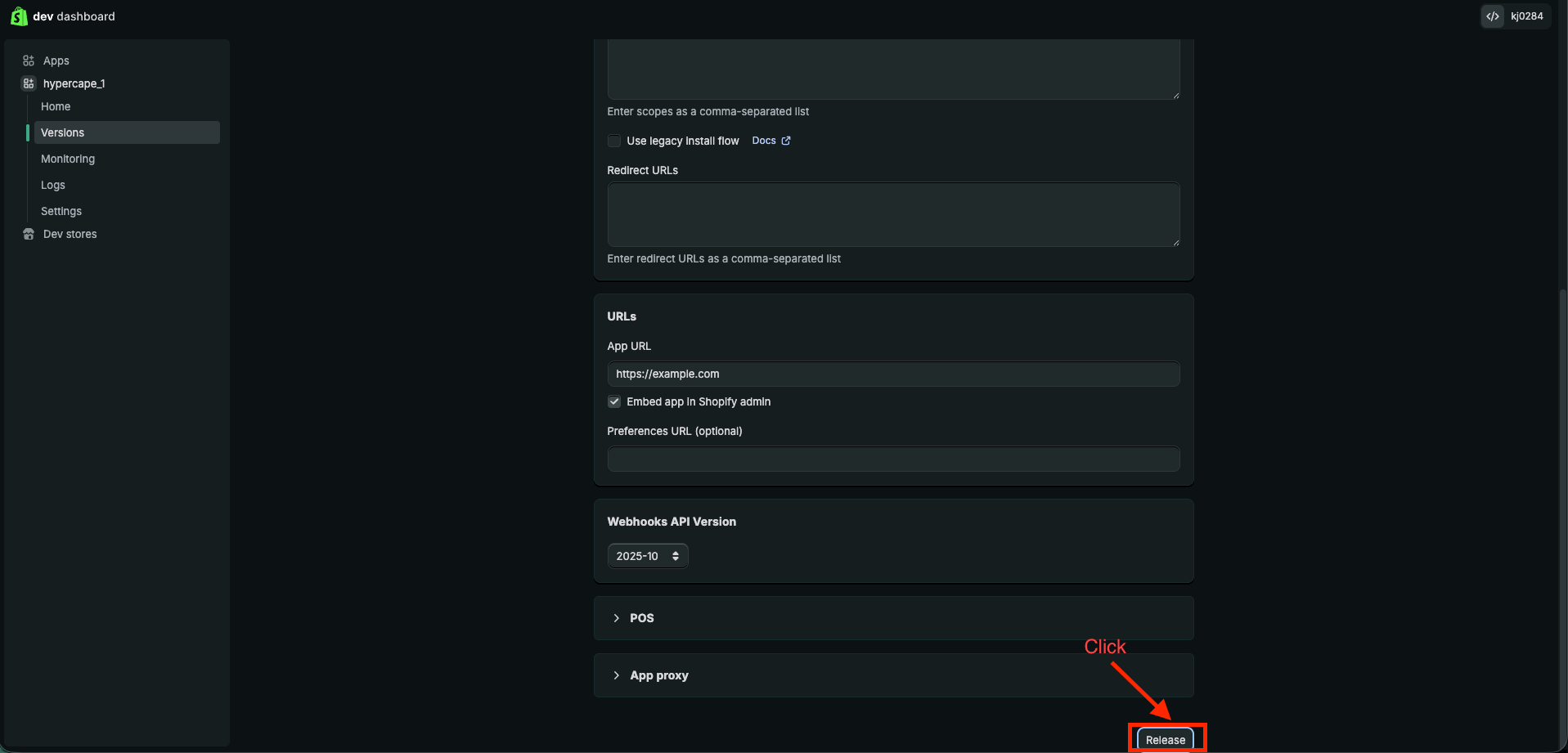
12. Install App to Your Store
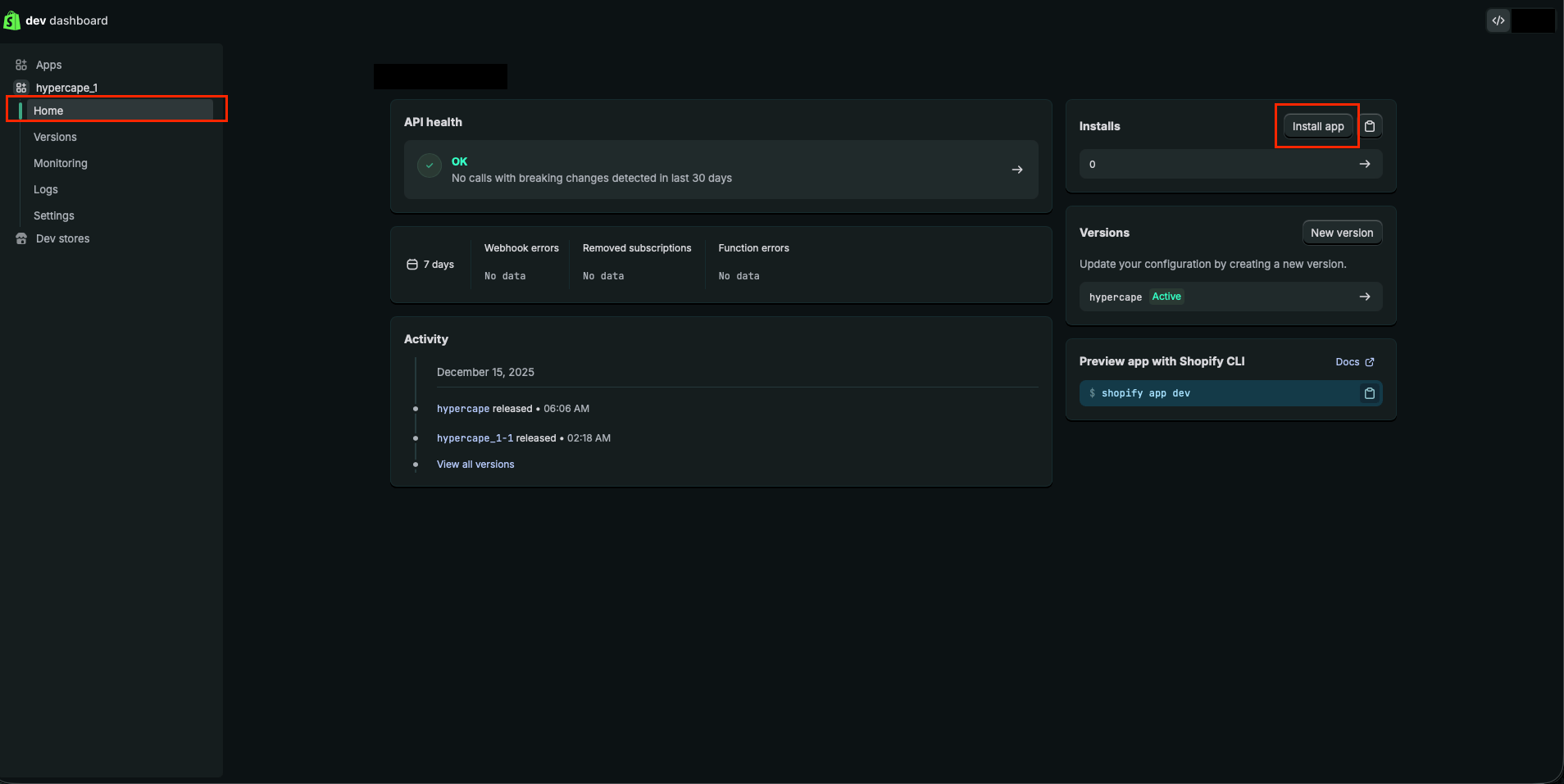
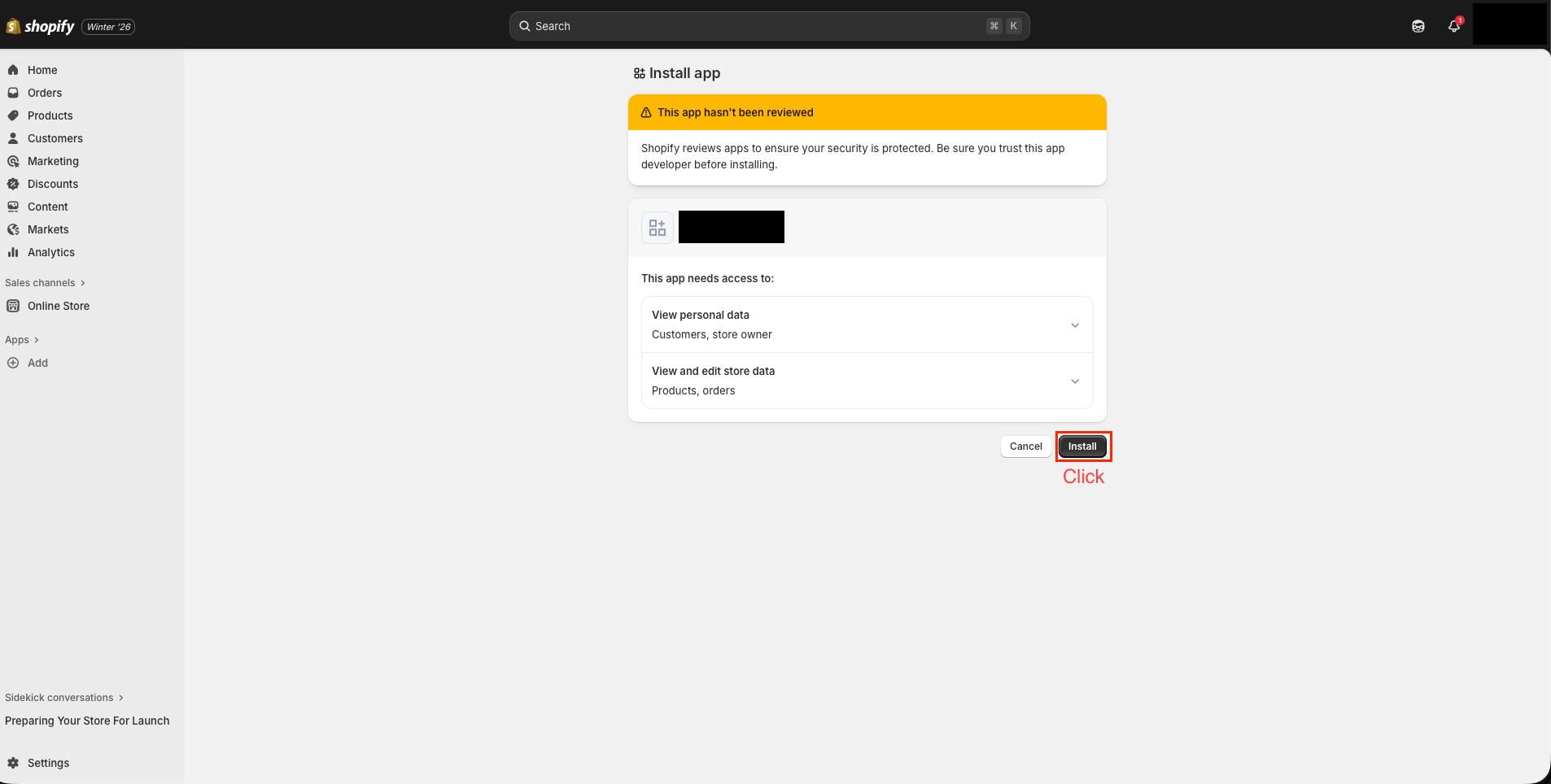
13. Go to Settings
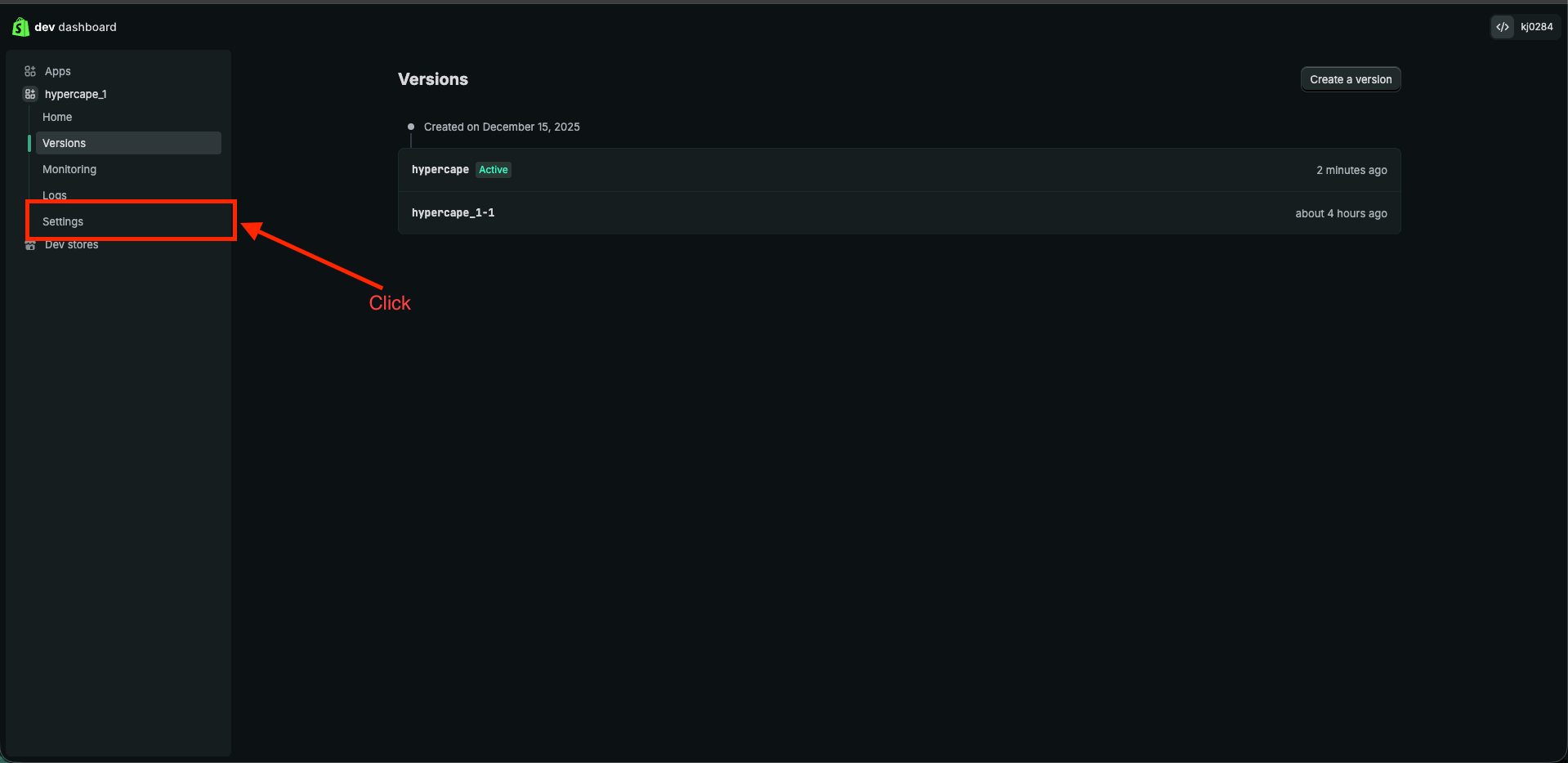
14. Copy Your Credentials

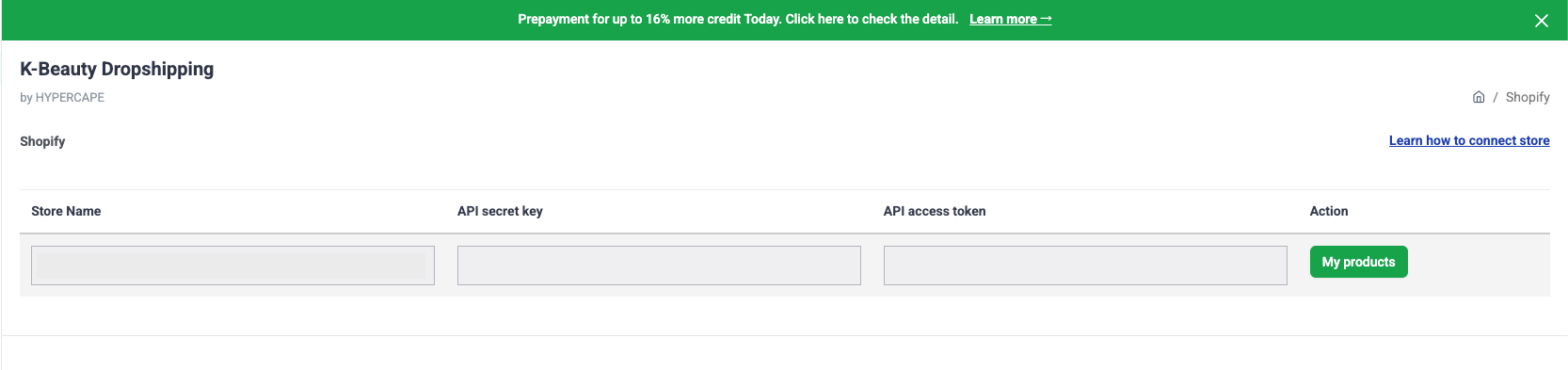
15. Enter Your Credentials
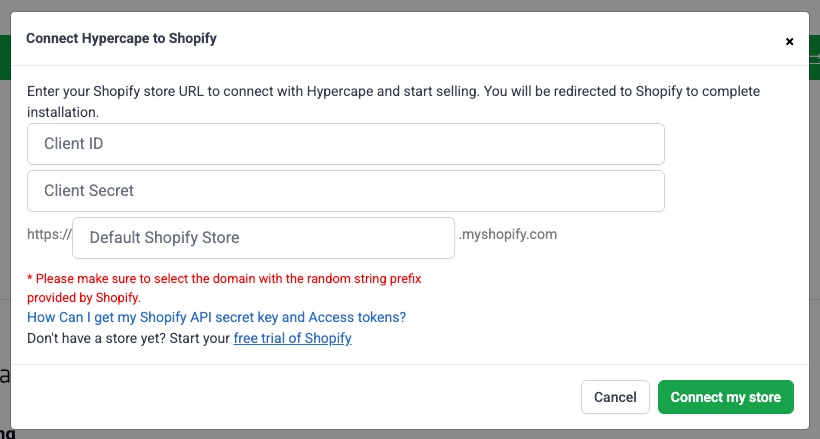
16. Connection Complete!
Last updated